By Felipe Morales, CEO of ESBUENISIMO LINKS
How to check a website's backlinks for free (and what to do next)
How to check backlinks for free with Ahrefs, Moz and Google Search Console, which metrics to look at and what to do next, with the real backlink profile of esbuenisimolinks.com as an example.
Knowing who links to a site is one of the most useful diagnostics in SEO, and it costs nothing. In this guide you will learn how to check backlinks with three free tools, what to look at in the results and what decisions to make with that information. At the end we show the real profile of our own site, unpolished.
What a backlink is and why you should check them
A backlink is a link from another site to yours. Google reads it as a recommendation, and AI assistants rely on the most cited sources on the web to decide which brands to name. Checking backlinks helps with three things:
- Understanding why competitors rank above you.
- Spotting problems: lost links or odd patterns.
- Finding opportunities: outlets that link to your competitors but not to you.
If you are a marketing or ecommerce manager, this check gives you a concrete figure to compare your brand with competitors, something hard to get from other indicators. It also helps you brief an agency or a provider: when you know how many domains link to you and to each competitor, you can set realistic goals and judge proposals with data instead of promises.
How to check backlinks for free: 3 tools
These are the most reliable free options, with their limits verified on their official pages on November 1, 2026:
| Tool | Which sites you can check | Free limit | Best feature |
|---|---|---|---|
| Ahrefs Backlink Checker | Any domain or URL | Summary version; full detail is paid | Shows DR and referring domains |
| Moz Link Explorer | Any domain or URL | 10 queries and 50 rows per query per month, with a free account | New and lost links |
| Google Search Console | Only sites verified as yours | Free; tables up to 1,000 rows | These are the links Google knows |
No tool sees the whole web: each has its own crawler. That is why numbers vary between tools. The right approach is to compare sites using the same tool.
🚀 Digital PR & Link Building
Rank #1 on Google and Get Mentioned by AI
1,400+ media outlets in 8 countries. Backlinks that Google and ChatGPT recognize as trusted authority sources.
See plans and pricing →Step by step: how to see backlinks with Ahrefs
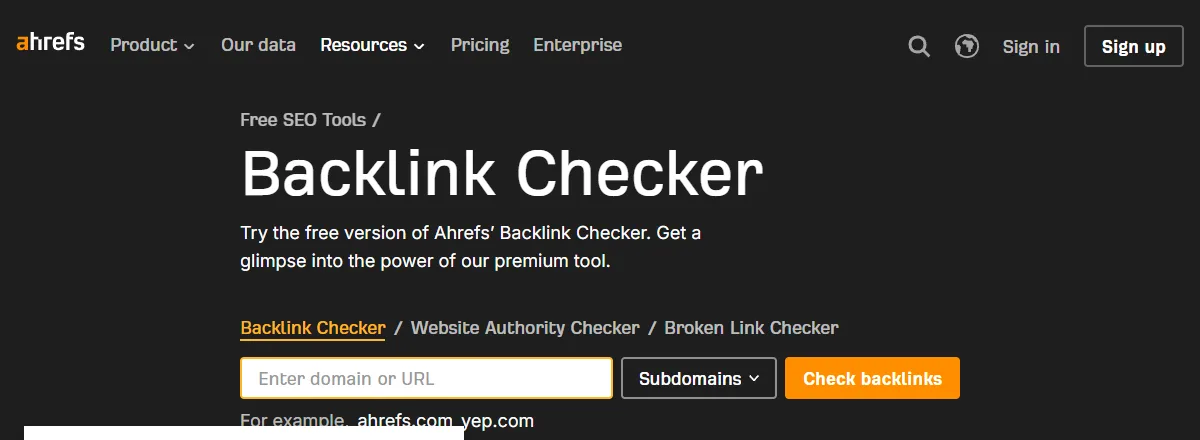
- Go to Ahrefs' free Backlink Checker.
- Type the domain (for example, your main competitor's) and choose whether to include subdomains.
- Click Check backlinks.
- Review the summary: DR, number of backlinks and referring domains, and the list of top links.
DR (Domain Rating) is the 0 to 100 score Ahrefs uses to estimate a domain's authority. To get more out of the paid version, we have a guide on how to use Ahrefs for link building.
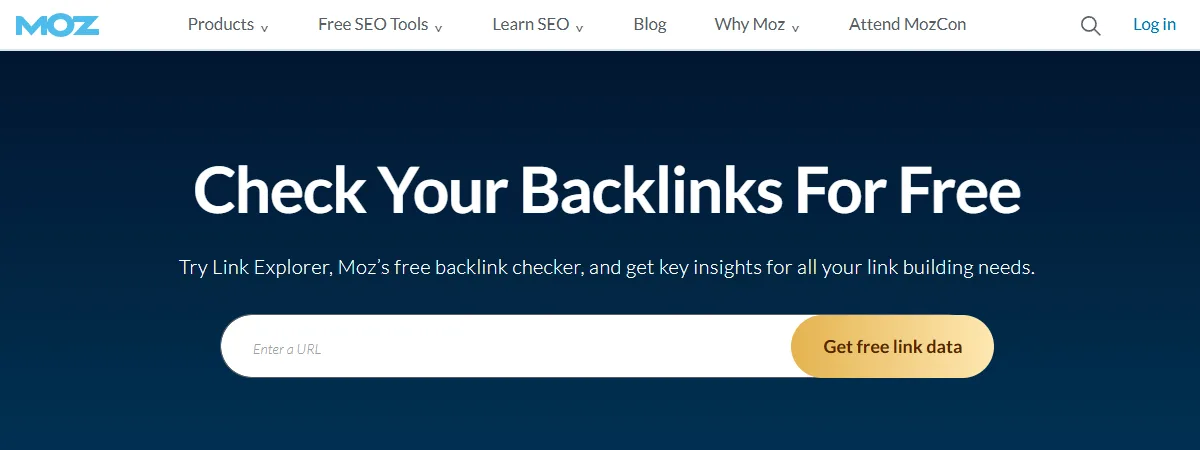
With Moz Link Explorer the process is similar: create a free account, paste the URL and get referring domains, nofollow links and recently discovered or lost links. Ten queries a month is enough to check your site and three or four competitors.
Check your own site's backlinks in Search Console
For your own site, the most reliable source is Google. In Search Console, open Links in the side menu to see the top linking sites, the most linked pages and the most used link text. According to Google's official help, tables show at most 1,000 rows, so on large sites the list gets truncated.
The limitation is that it only works for sites you have verified. To look at competitors you need Ahrefs, Moz or another external tool.
A practical tip: export the linking sites table once a month and keep it. Search Console does not show a history of links gained and lost, so comparing your own exports is the simplest way to see whether your profile is growing. Ahrefs also offers a free account to analyze your own verified site, with more detail than its public version.
What to look at once you have the list
| Metric | What it means | What to look for |
|---|---|---|
| Referring domains | Distinct sites linking to you | More important than total links |
| Total backlinks | All links, even from the same site | If it is far higher than domains, there are repeated links (footers, directories) |
| DR or authority | Estimated strength of the linking site | Outlets and sites in your industry with medium or high authority |
| Anchor text | The visible, clickable text | Natural variety: brand, URL and descriptive phrases |
| Dofollow or nofollow | Whether the link passes authority or asks Google not to follow it | A mix of both is normal |
On link text, our complete anchor text guide explains which proportions look natural and which raise red flags.
Real example: the backlink profile of esbuenisimolinks.com
To show how a profile is read, we looked up our own in the DataForSEO backlinks API on November 1, 2026.
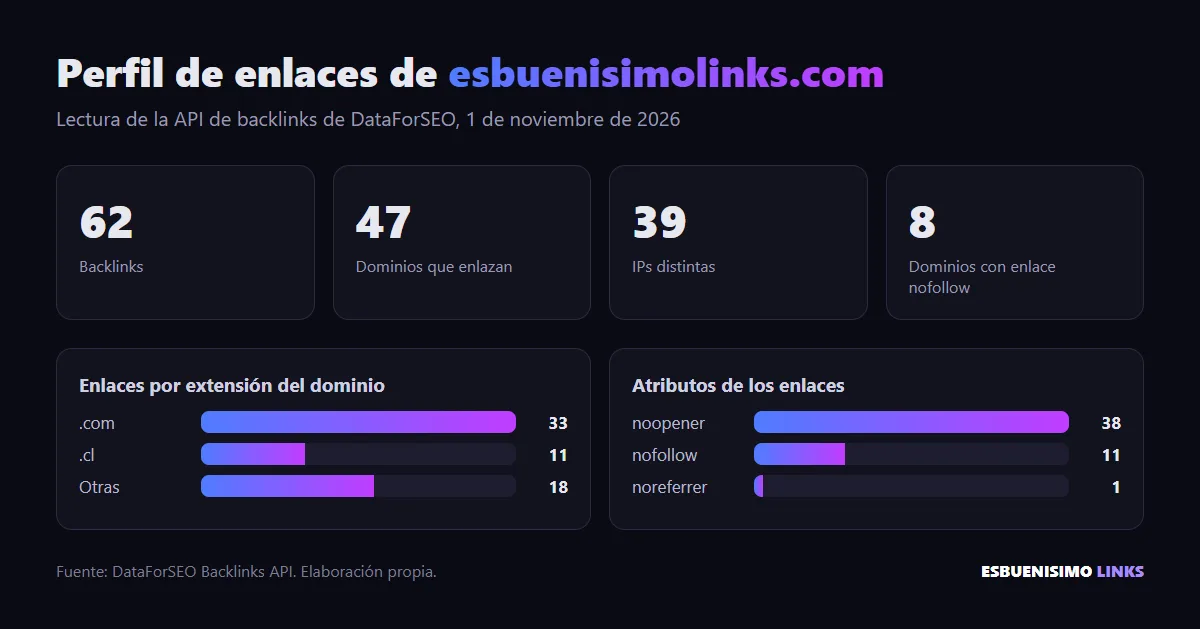
The reading: 62 backlinks from 47 domains, coming from 39 different IPs; 11 of those links come from .cl domains and 8 domains link with nofollow. Total links and domains are close, which means few repeated links. There are also several low-value automated sites nobody asked for, something that happens to almost any domain. It is the profile of a young site: the first recorded link dates from June 2025. To compete for demanding commercial terms, the next step is adding new domains from media outlets, month after month.
If you run this exercise on your site, write down four figures in a spreadsheet: backlinks, referring domains, domains from your country and domains that are media outlets. Repeat the lookup with the same tool every month and add the same figures for your three competitors. In two or three months you will have a curve that shows whether the gap is closing or widening.
Common mistakes when checking backlinks
- Comparing figures from different tools. Ahrefs showing 300 links and Moz 180 does not mean you lost 120. They are different indexes.
- Looking only at total backlinks. A site with thousands of links from a single directory can be weaker than one with 40 different outlets.
- Checking only the homepage. The links that matter often point to inner pages: categories, product pages or articles. Also check the URLs you want to rank.
- Panicking over odd links. Every site with some visibility gets automated links nobody asked for. They are not a sign of a penalty.
- Checking once and forgetting. The value is in the trend: how many new domains you gain each month versus competitors.
What to do with what you find
- Compare with your three main competitors, always using the same tool. The difference in referring domains is your gap.
- List the outlets that link to competitors but not to you. That is your first target list.
- Do not obsess over junk links. Google ignores most of them. Check our guide on toxic backlinks only if you see a massive pattern.
- Set a monthly goal for new domains and review it every month.
If the gap with your competitors is large, closing it takes consistent publishing on media outlets. That is what we do at ESBUENISIMO LINKS: a link building service in Chile (page in Spanish) with access to more than 1,400 outlets. And because media links also influence which brands ChatGPT or Gemini name, many communications teams now use them for their visibility in AI.
Frequently Asked Questions
How can I check a website's backlinks for free?+
Use Ahrefs' free Backlink Checker or Moz Link Explorer (10 queries a month with a free account). For your own site, Google Search Console shows the external links Google knows about, at no cost.
Can I see my competitors' backlinks?+
Yes. Ahrefs and Moz let you look up any domain. Search Console, on the other hand, only shows data for sites you have verified as your own.
Why does each tool show a different number of backlinks?+
Because each one has its own crawler and index. None of them sees the whole web. What matters is comparing sites with the same tool and watching trends, not the exact figure.
What matters more: number of backlinks or number of domains?+
The number of distinct domains linking to you. A hundred links from one site weigh far less than ten links from ten different outlets.
What should I do if I find low-quality backlinks?+
In most cases, nothing: Google ignores most low-quality links. It is only worth acting, even with the disavow tool, if there is a massive pattern of artificial links or a manual action in Search Console.
Ready to rank #1 and get mentioned by AI?
Digital PR & Link Building in 1,400+ media outlets across 8 countries. Google and ChatGPT recognize you as an authority source.
See plans and pricing